
Applications That Become Employees in One Click
An applicant fills the form in once. When you decide to hire them, a single click turns that application into a full employee record, carrying everything they already entered across with it. No retyping, no second system, and no paperwork lost between the application and the first day on site.
How hiring runs
- An applicant completes your employment application and it lands as an applicant record, not an email attachment.
- You review applicants in one list, with their details, history and uploaded documents already attached.
- When you hire, one click promotes the application into an employee record and everything transfers intact.
- Onboarding paperwork, certifications and identification stay on that same record for the life of the employment.
What you can manage
Employment Applications
One application form, completed once by the applicant. Every submission arrives as a record you can review, sort and keep rather than an inbox attachment.
One-Click Hire
Promote an applicant to a full employee record with a single click. The details they entered come across exactly as submitted.
No Re-Keying
Names, addresses, contact details and work history transfer intact, so nobody retypes a form that was already filled in correctly.
Documents on the Record
Signed forms, identification and certifications upload straight onto the applicant or employee and stay attached to it.
HR-Only Fields
Sensitive fields stay masked from anyone without the HR role, enforced on the server rather than merely hidden on the page.
Full Activity Log
Every change is recorded with who made it and when, so the hiring trail can be reviewed long after the fact.
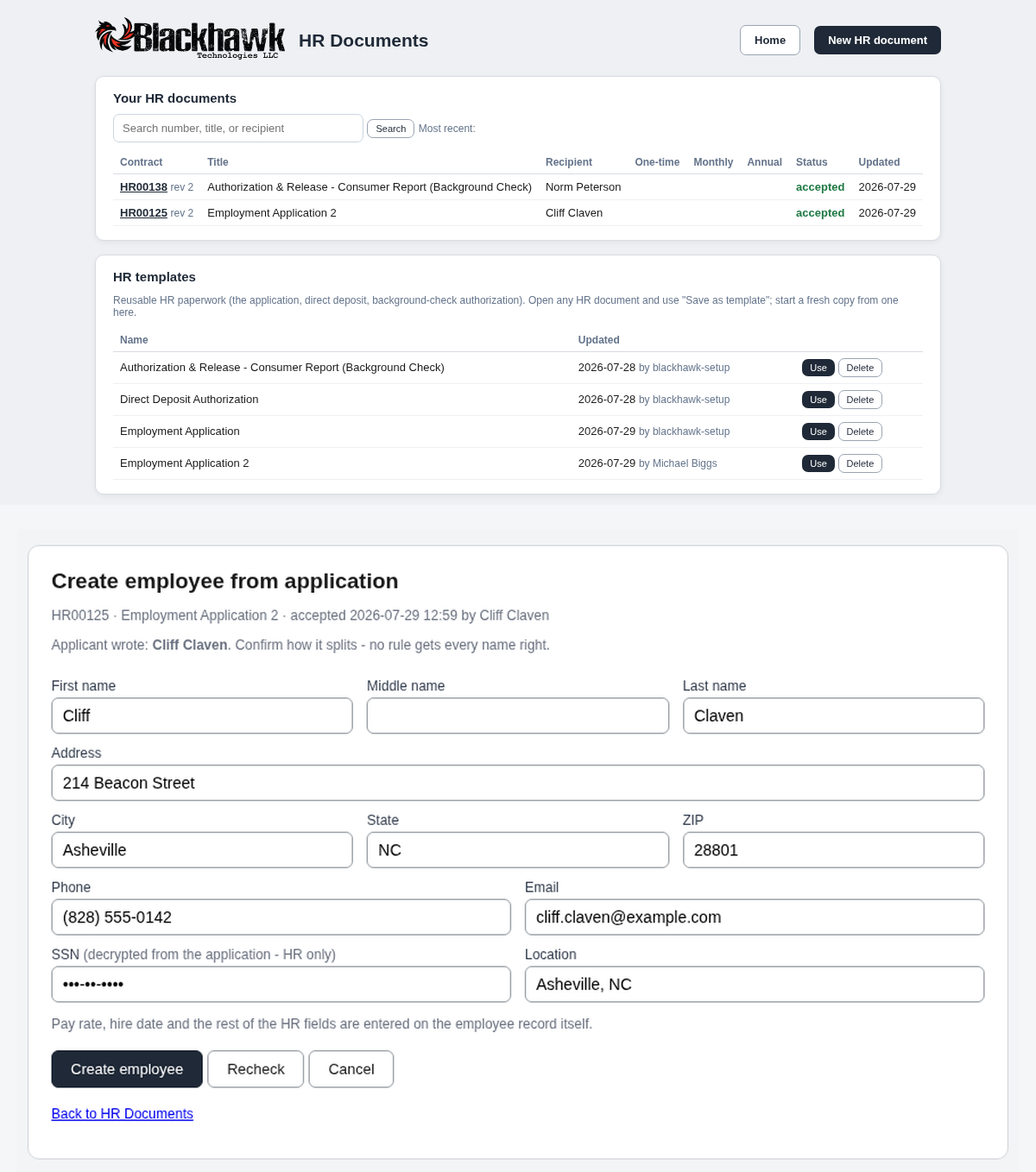
The HR documents list, and an accepted application one click away from becoming an employee record.