
Time Clock Software with GPS Punch Verification
Employees clock in from their own phones. The platform checks their GPS position against the jobsite at every punch, flags or blocks punches that are out of range, and hands the office a clean, approved week ready for payroll.
What you can manage
GPS Punch Verification
Every clock-in is distance-checked against the jobsite location. Out-of-range punches are flagged for review or blocked, your choice per company.
Job QR Posters
Print a QR poster for the jobsite. Employees scan it and the right job is preselected at punch, with their last phase and task remembered.
Phases & Cost Codes
Employees pick the phase and category they are working when they punch, so hours land against the right part of the job.
Approvals & Overtime
Weekly or daily approval cycles, an overtime view, and a review queue for flagged punches, corrections, and missed punches.
Auto Clock-Out Protection
Forgotten punches are closed automatically at your cutoff time and flagged for office review, so nobody is blocked the next morning.
English & Spanish
Punch screens, job names, and phases can carry Spanish translations. Employees see the language they work in.
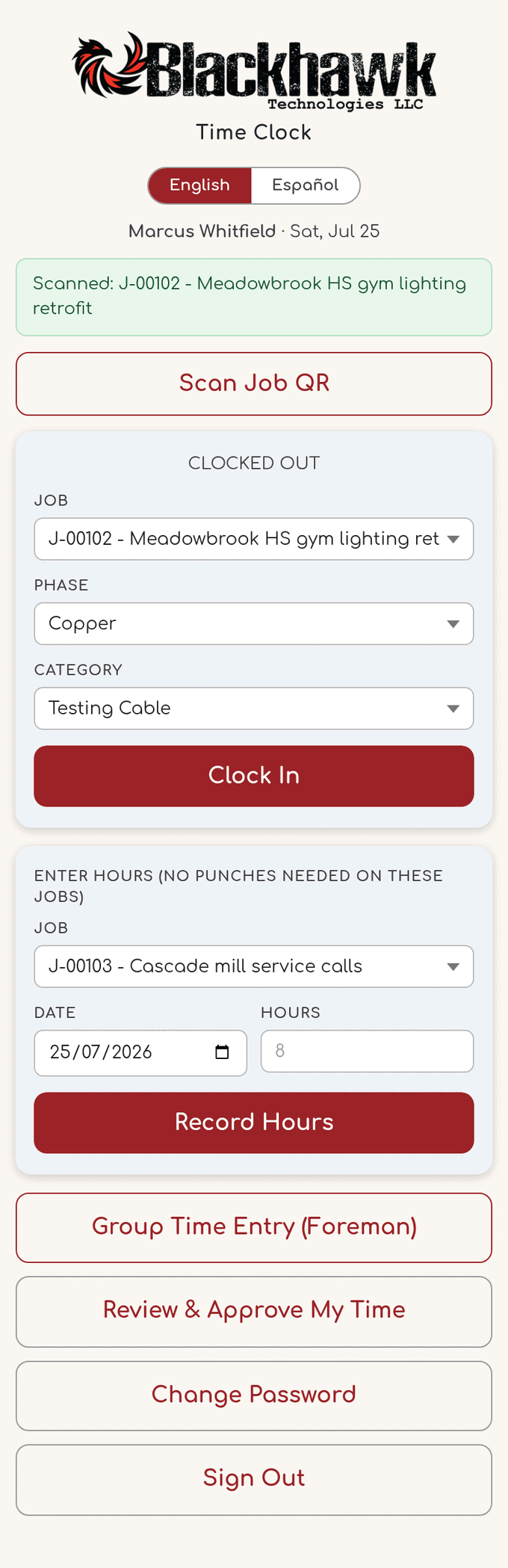
The crew picks job, phase and cost code, then clocks in from the jobsite.
How it works
- Set up jobs with their jobsite locations, phases, and scheduled day start. Enable time clock logins for your crew.
- Employees clock in and out from their phones. GPS is verified, early punches warn or block, and task switches take one tap.
- The office reviews the week on the time dashboard, approves it, and exports payroll in your accounting format.